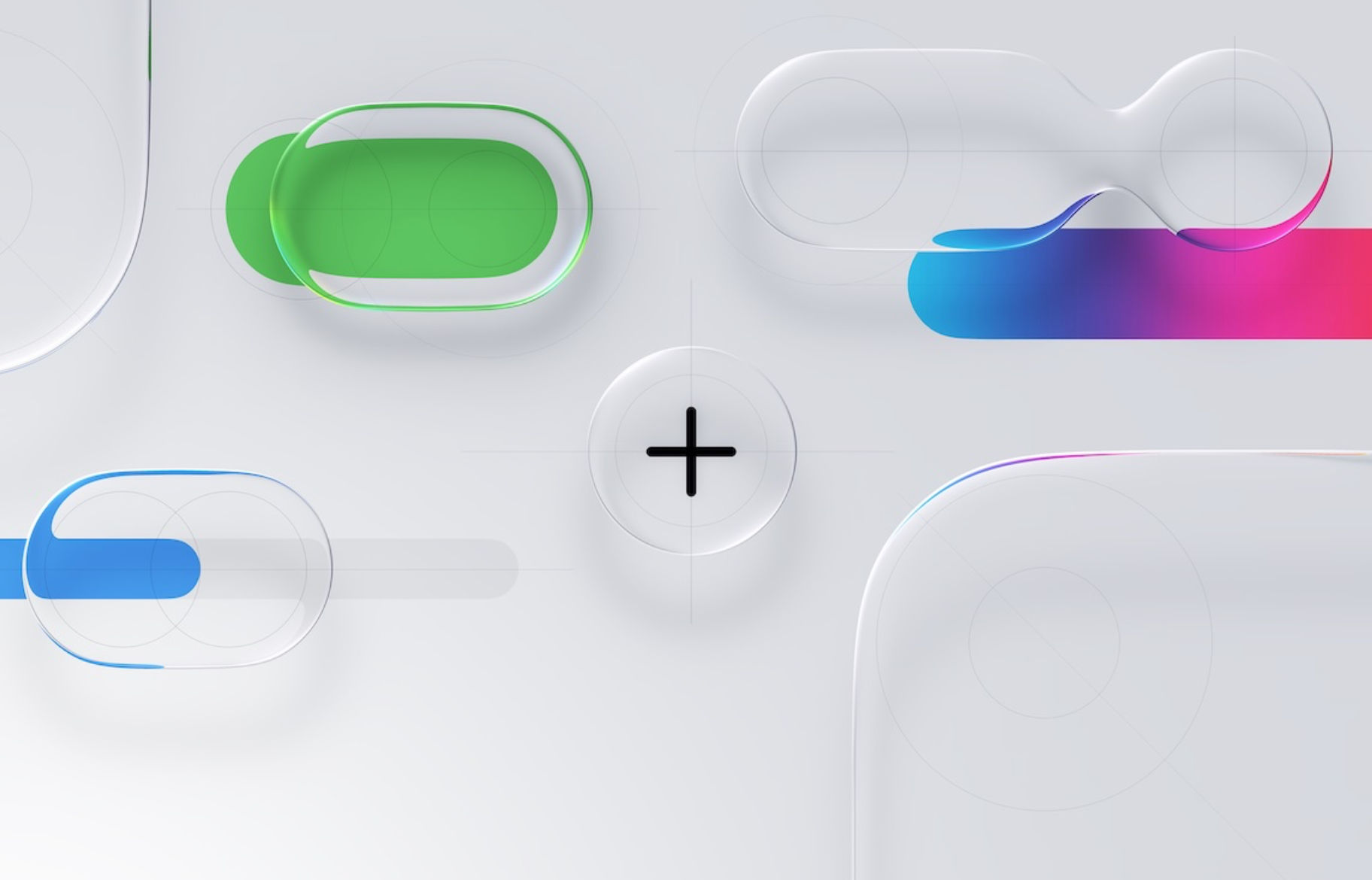
Liquid Glass. SignDict adopts the iOS 26 Liquid Glass design, bringing translucent controls and beautiful blur effects for a more premium look and feel.



Meet SignDict
Japanese Sign Language. American Sign Language.
One dictionary, designed to bring them together.

Offline learning
Explore and practice sign language wherever life takes you, even without Wi-Fi or cellular data.

A fresh new look
Discover the redesigned SignDict, now rolling out.
Liquid Glass. SignDict adopts the iOS 26 Liquid Glass design, bringing translucent controls and beautiful blur effects for a more premium look and feel.
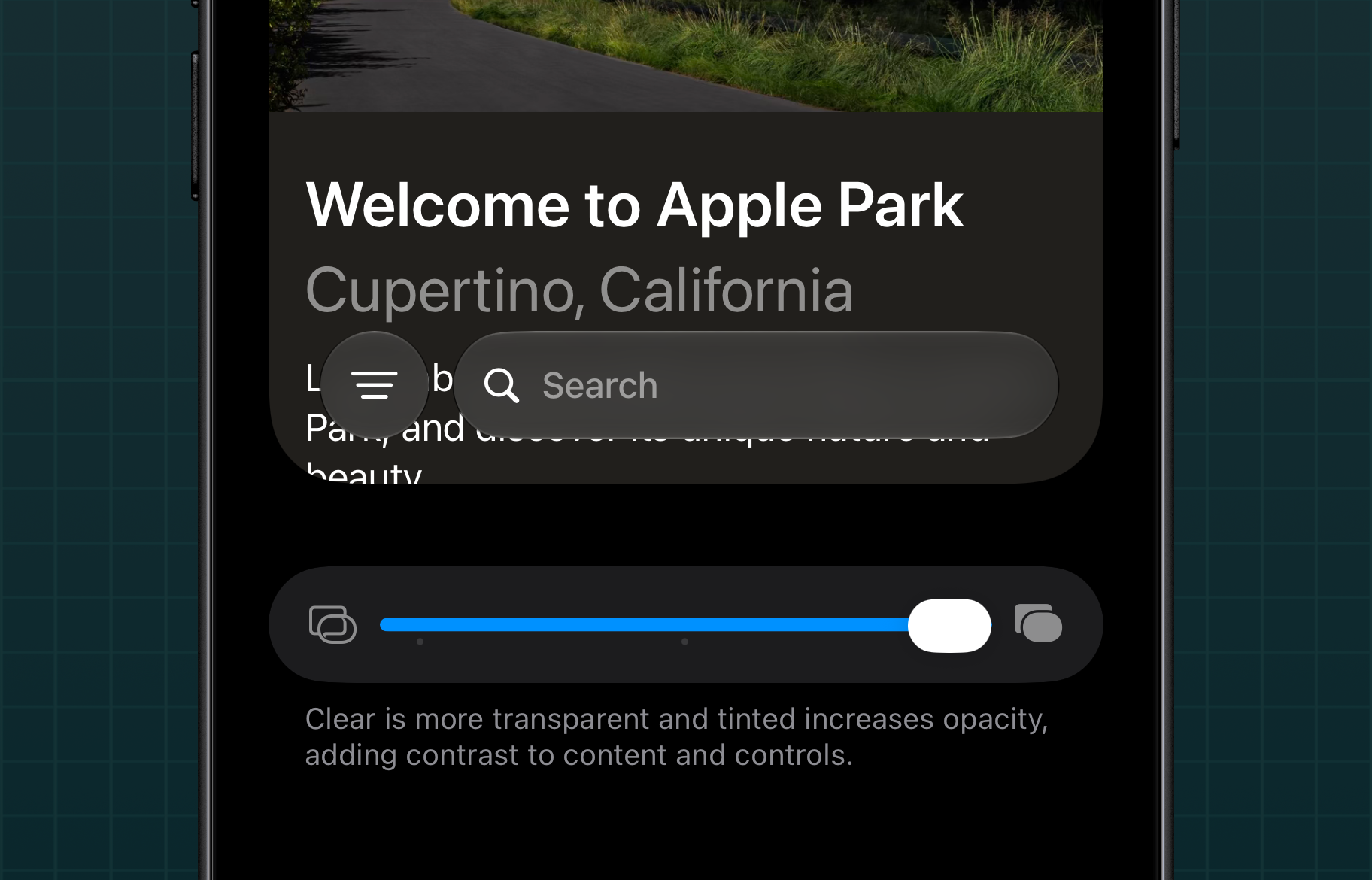
Liquid Glass Controls. Settings now lets you customize Liquid Glass effects, including adjusting how clearly the background shows through the blur.
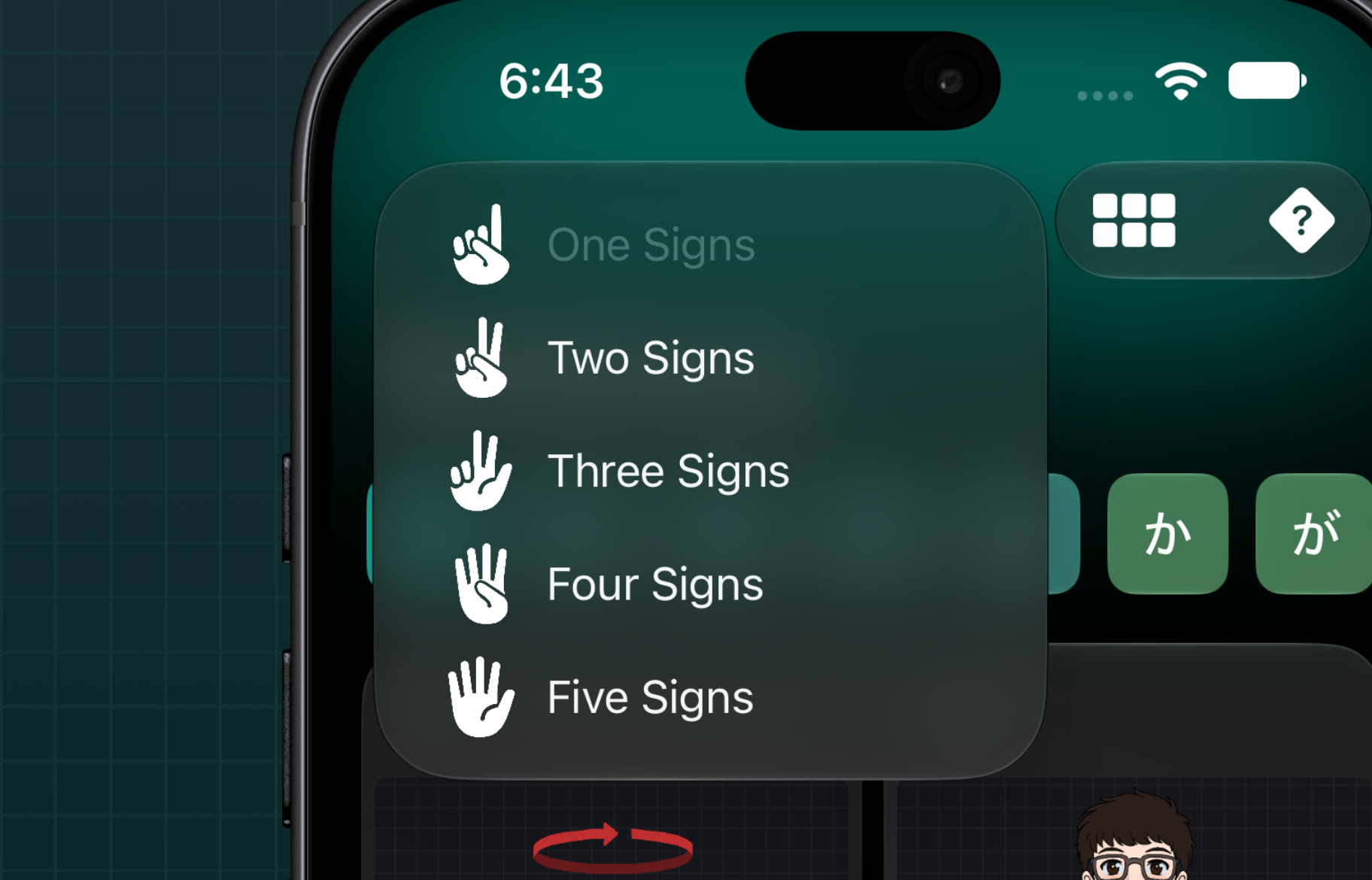
A Redesigned Hand Menu. The menu now features redesigned hand icons using Apple's SF Symbols, bringing a cleaner, more familiar look to SignDict.

Redesigned Character Artwork. Meet the redesigned character artwork, bringing more personality and a fresh visual style to SignDict.
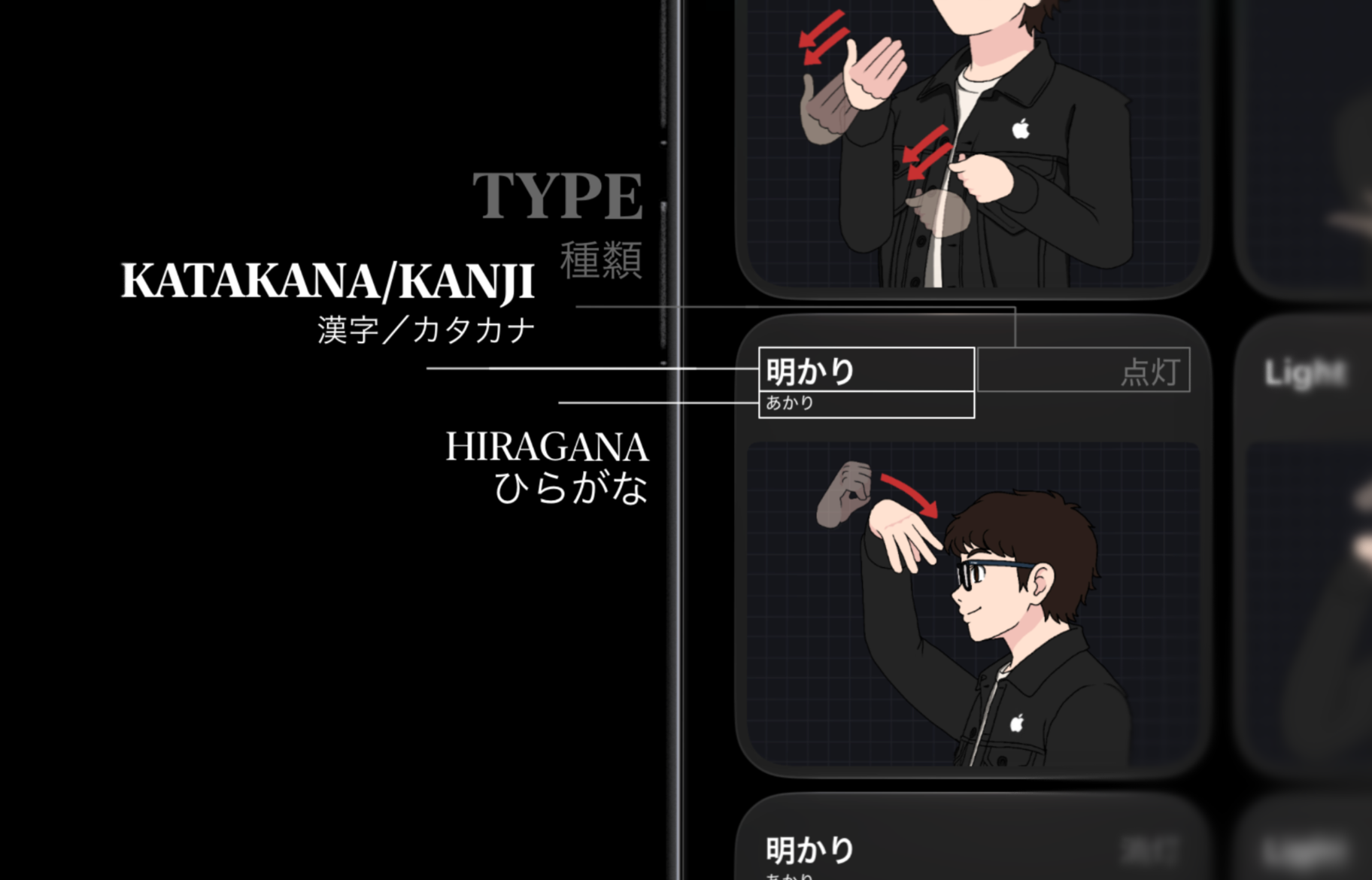
Now with Furigana. Japanese furigana support makes kanji easier to read and understand, helping you explore Japanese signs with greater confidence.
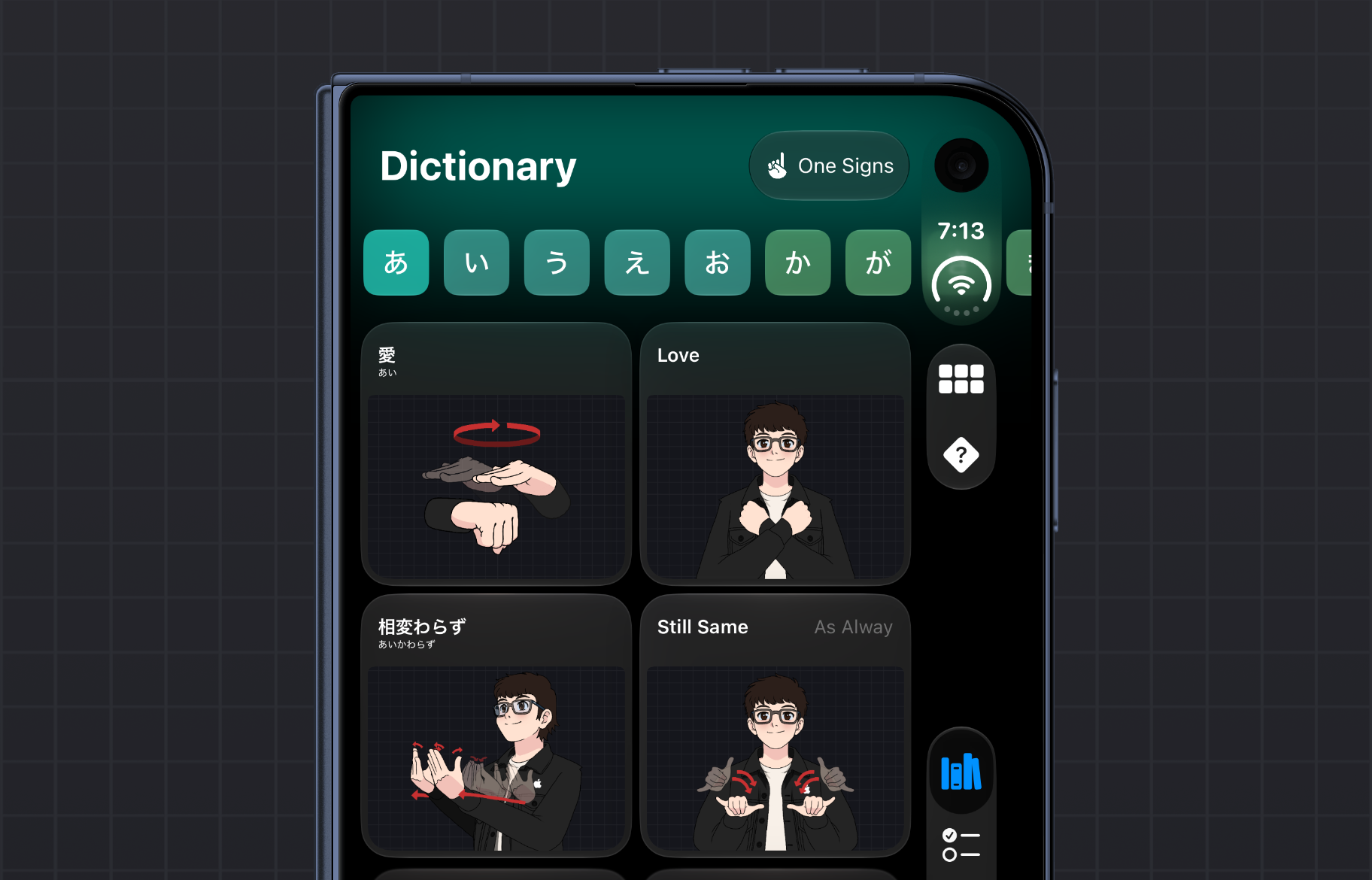
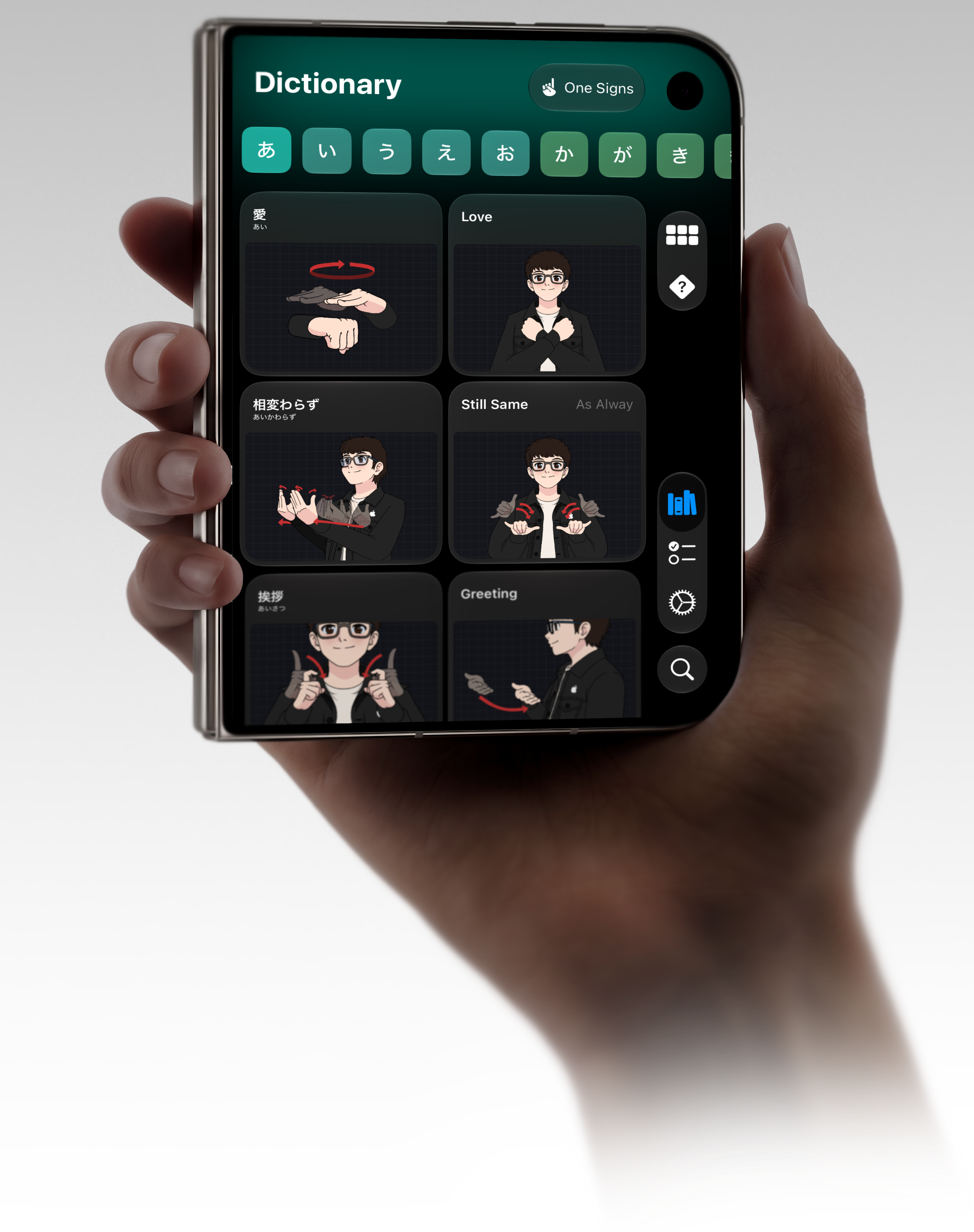
Now on iPhone DUO. SignDict features two interfaces designed for iPhone DUO: an iOS interface for the outer screen and an iPadOS interface for the inner screen, making the experience feel complete and intuitive on both displays.
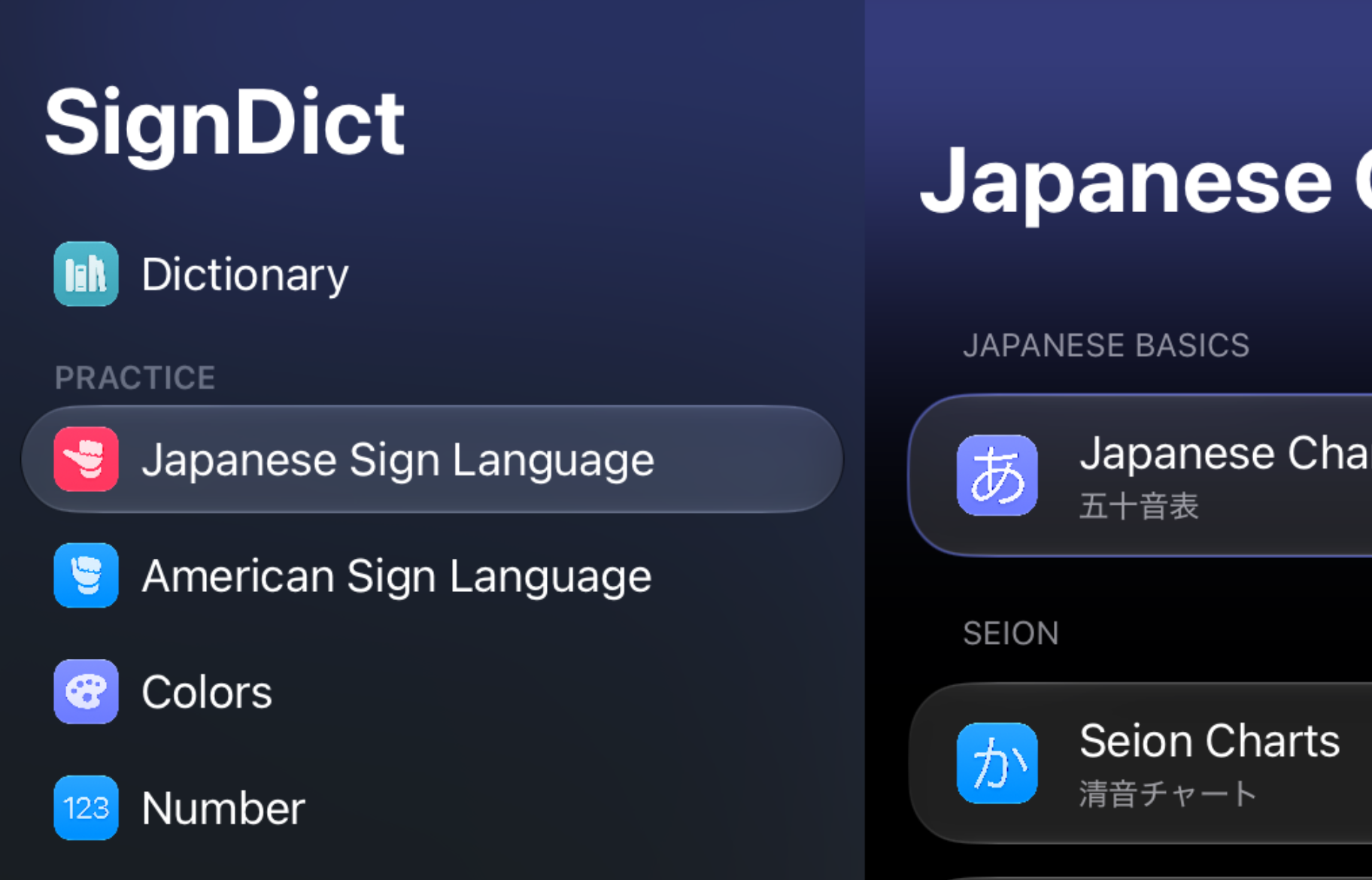
Side View, Reimagined. Side View gets a fresh Liquid Glass design, bringing a more refined and modern look to SignDict on iPad.
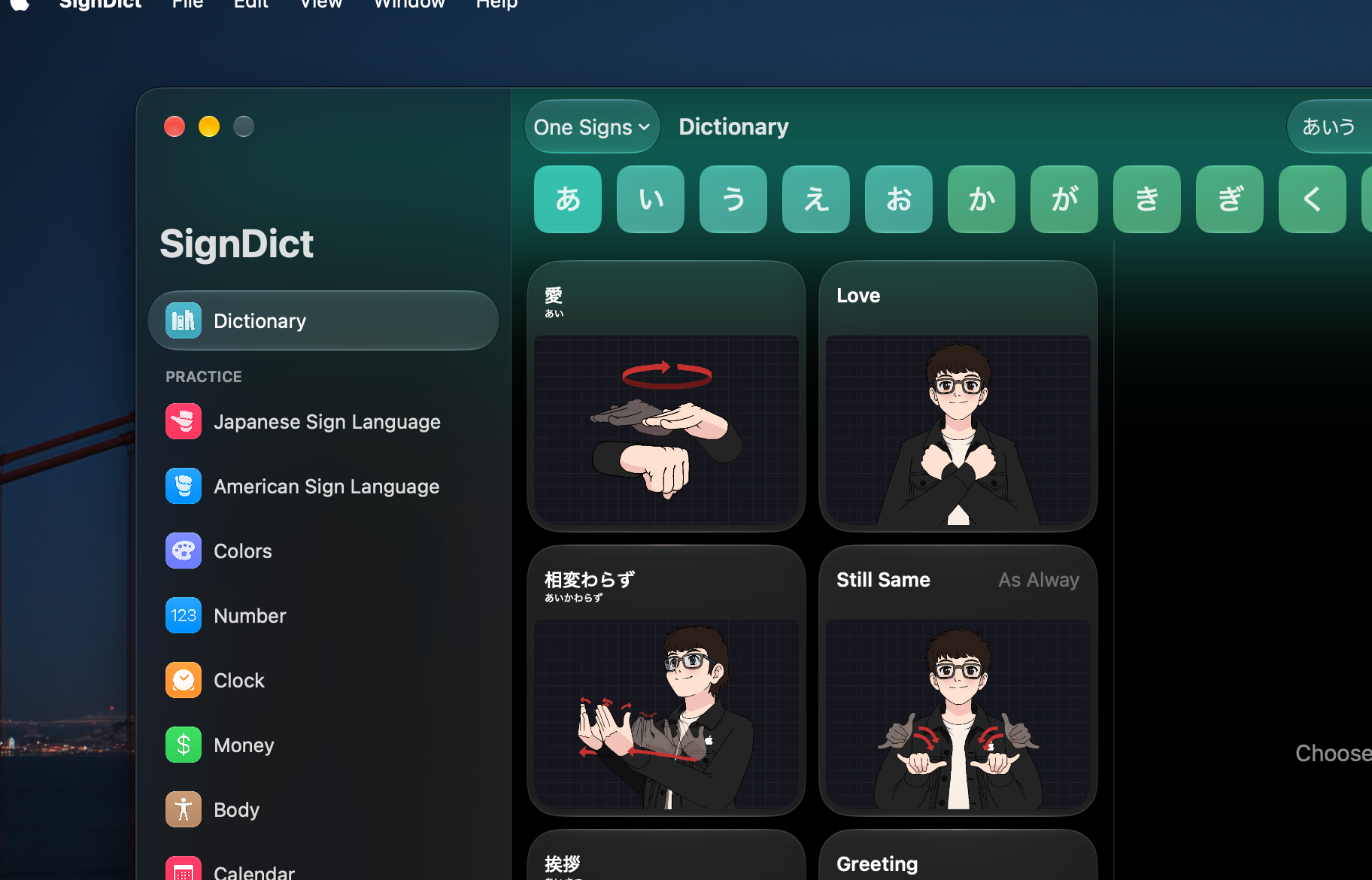
A Native Mac Experience. SignDict is now a native Mac app, built specifically for macOS—not a Mac Catalyst app—bringing a more seamless experience to Mac.
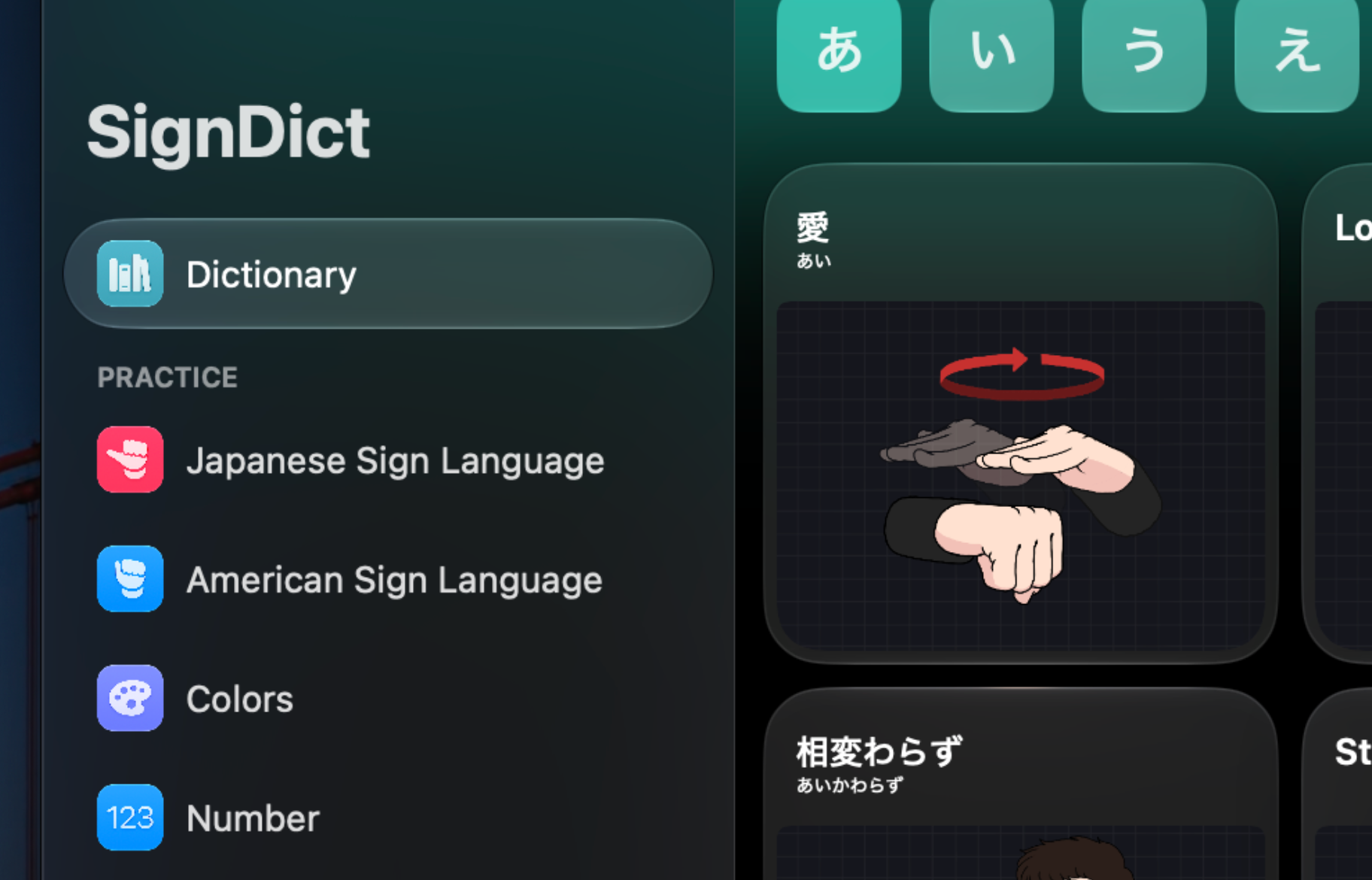
A Refreshed Sidebar. The sidebar gets a fresh Liquid Glass design, bringing a more modern look and a refined browsing experience to SignDict on Mac.
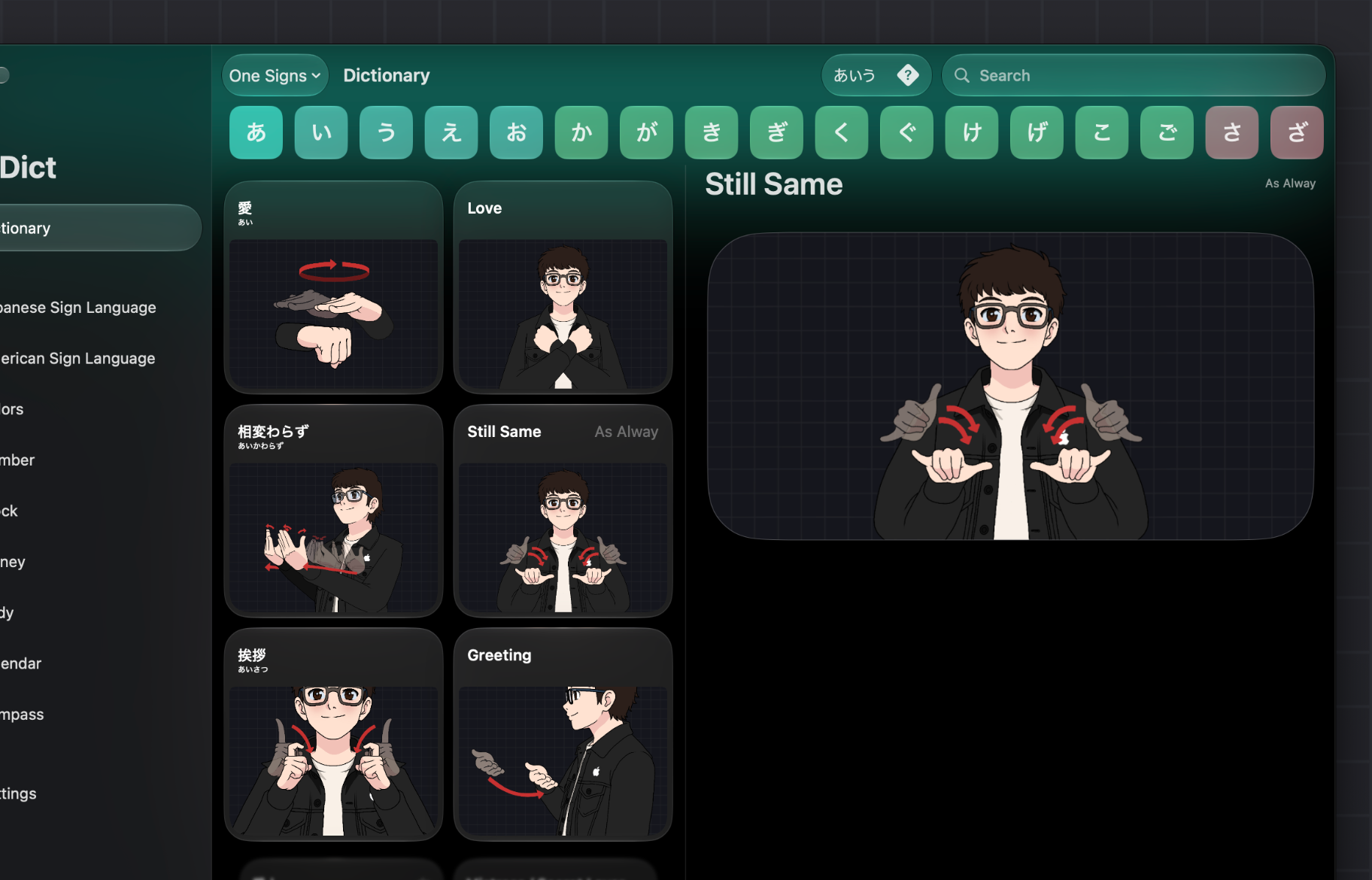
A New Two-Column Layout. The two-column layout is now available on macOS, thoughtfully adapted for the native Mac app to make exploring SignDict feel natural on Mac.
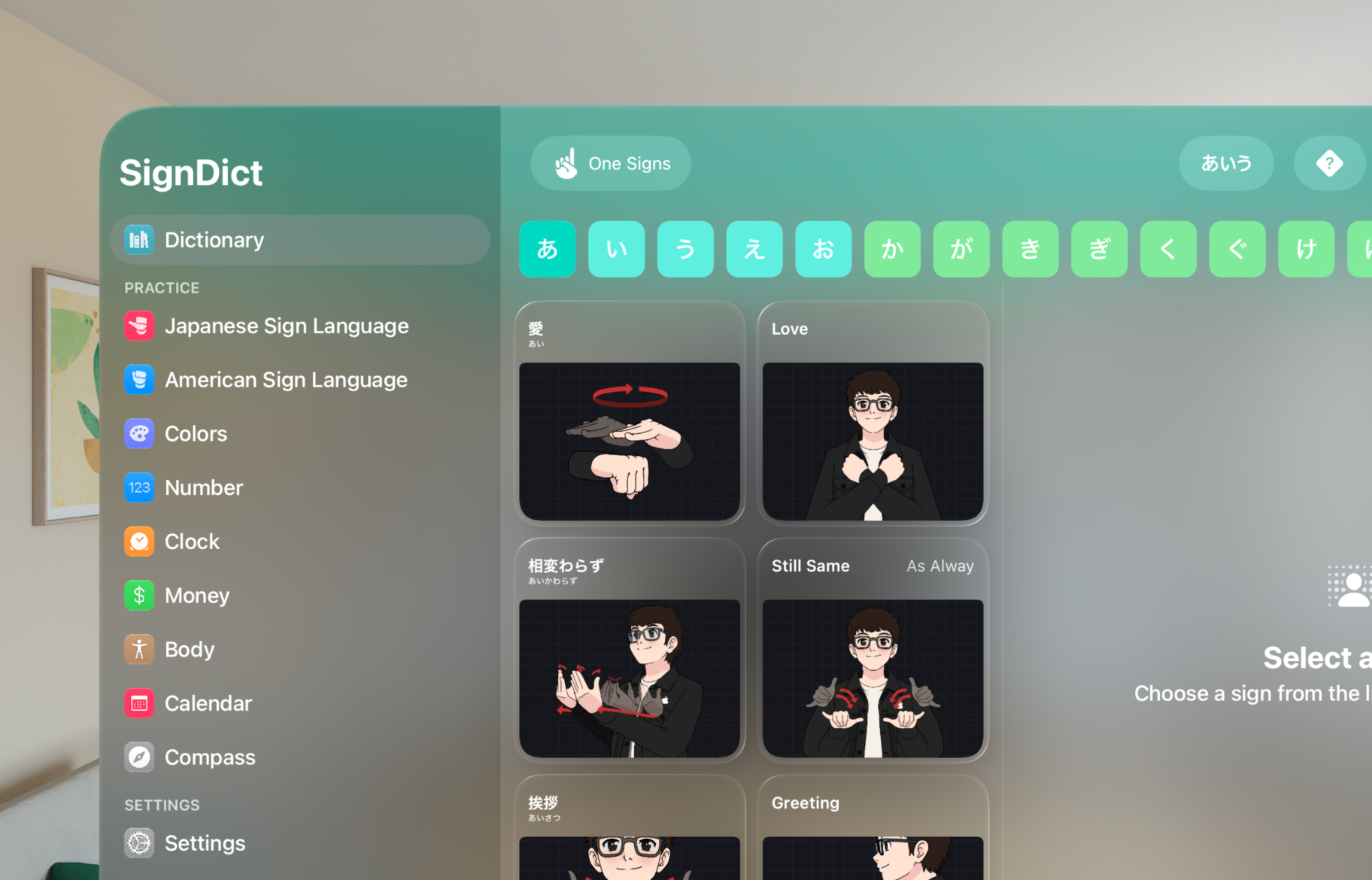
A New Look in visionOS 27. SignDict adopts the refreshed Liquid Glass design in visionOS 27, bringing a more immersive and visually refined experience to Apple Vision Pro.
Meet New iPhone
SignDict meets iPhone DUO. Two screens, one seamless sign language dictionary.
Foldable design. Offers exceptional viewing experiences in a design that fits in your pocket.
Move slider to open and close.
Compatibility
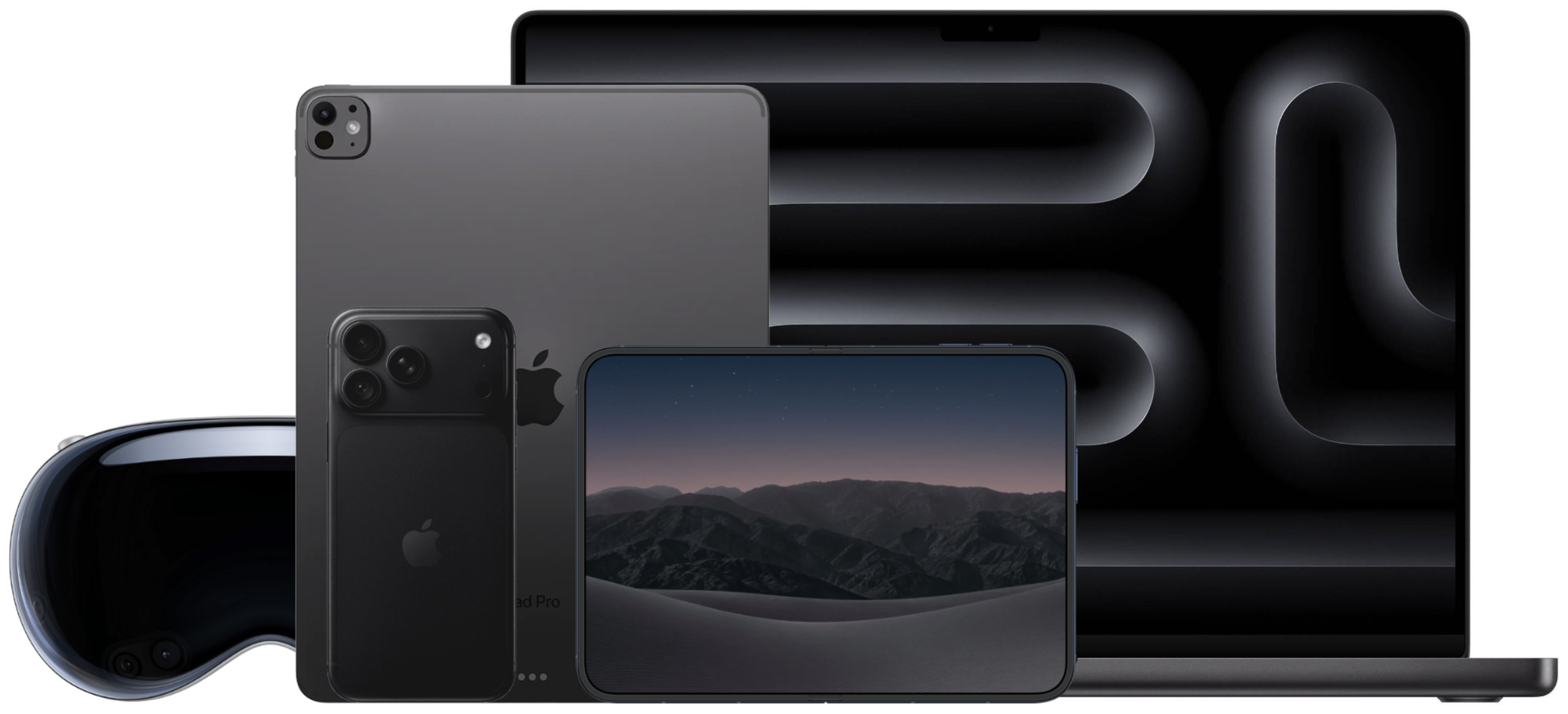
A sign language dictionary designed for iPhone, iPad, Mac, and Apple Vision Pro. One seamless experience across your Apple devices.
Sign Language
Introducing SignDict
Explore American Sign Language (ASL) and Japanese Sign Language (JSL) with SignDict, a visual dictionary designed to help you learn and discover signs.
Discover SignDict →
Antonio Chavez
Founder & iOS Engineer
Sign Language Updates
SignDict V2.0.0 begins a new era of designs in sign language content. Starting with あ, each hiragana section will be gradually updated as we work toward completing the dictionary.

Help make SignDict better. Share corrections, suggest new signs, or tell us what you think.
SIGNDICT REVIEWS
See what people are saying about their experience with SignDict.
The space that powers SignDict’s offline dictionary.
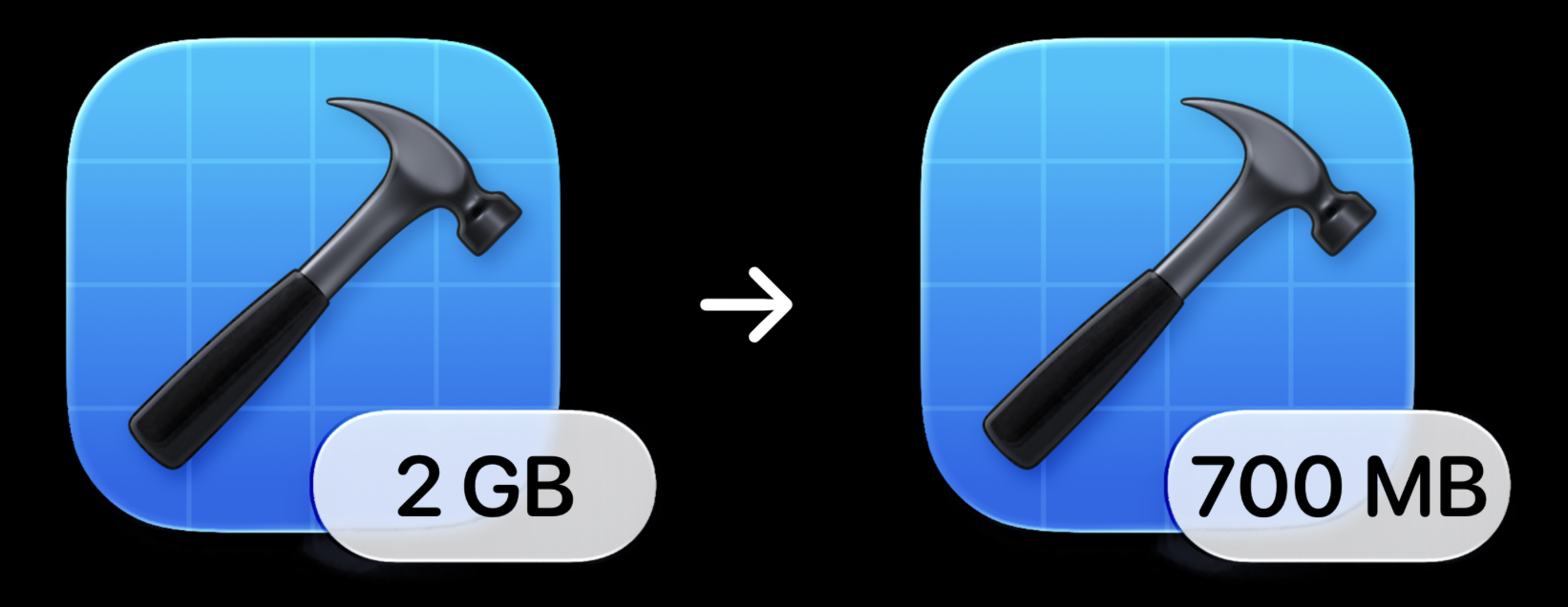
A major improvement, made behind the scenes. By moving entirely to SwiftUI and removing the legacy UIKit implementation, SignDict went from nearly 2 GB to just 700 MB.
Faster downloads. Smaller updates. More room on your device.
Some of SignDict’s original dictionary artwork was larger than necessary, contributing to its storage size. We’re optimizing these images to reduce their file sizes while preserving their visual quality.
The redesign has already rolled out for あ, with more hiragana to follow in future updates. Each release brings SignDict closer to a smaller storage footprint.
Learn sign language with confidence. SignDict works offline and doesn’t collect your personal data. Your privacy comes first.

Advertising services may involve tracking technologies and data collection. That's why I chose not to include ads, so you can focus on learning sign language without advertising interruptions.
I believe you should be able to purchase SignDict once without recurring payments. SignDict avoids third-party subscription-management services and SDKs that aren't necessary for its functionality.
SignDict is designed to work offline. Your dictionary searches don't need to be sent to a server. The dictionary content is included directly in the app, so you can access it without an internet connection.
SignDict includes a large collection of sign language images and dictionary content directly in the app. This allows you to access the dictionary offline without relying on a server to retrieve content.
You don't need an account to learn sign language. SignDict doesn't require your name, email address, or other personal information to use its dictionary.
SignDict doesn't need to know what signs you search for, how often you use the app, or how you learn. Your learning activity is your own.
Third-party SDKs can introduce additional services and data flows. SignDict avoids unnecessary third-party SDKs to maintain control over the app's privacy and functionality.
Offline functionality means you can access the dictionary without an internet connection. It also means your dictionary searches don't need to be sent over the internet.
SignDict has earned a place in the App Store Top Charts across multiple countries. Explore where SignDict has been featured.
Special thanks to Toplify for notifying me whenever SignDict appears in the App Store Top Charts.
A new way to learn sign language. Designed for Android, coming later this year.
The people behind SignDict, bringing together engineering, testing, and sign language expertise.

iOS Engineer · Founder

Bug Investigator

Android Engineer

Japanese Sign Language Advisor